Download
N1Time — hours and pay
A phone app for working hours, overtime, supplements and pay.
What to choose
For your phone
Android · employee and owner
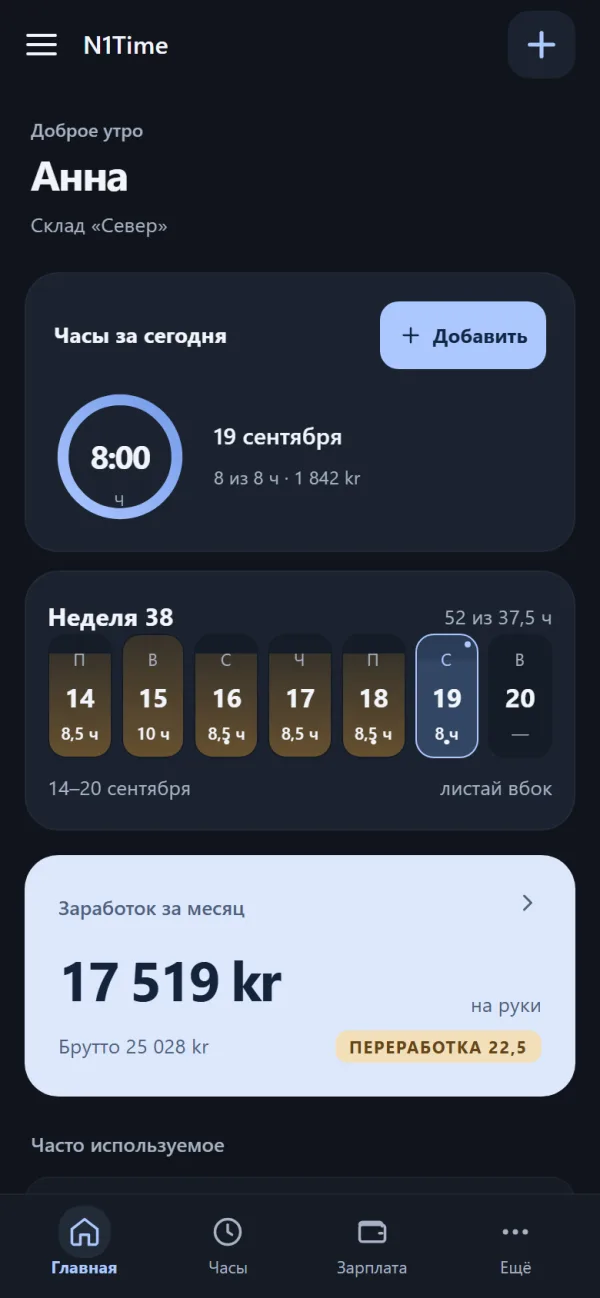
Hours, shifts, leave and pay always at hand: clock in on a shift, request leave, check your calculation.
- Version 1.30.2
- 8.2 MB
- APK
Download the file and open it on the phone. Android will ask for permission to install from this source.
Requires Android 8 or newer.
File checksum
SHA-256 checksum:
4b2db50314a7efb4a078531dc3476767838a7ae781f3b03f8c9ea40ad8b4e22fCheck in Windows (PowerShell): Get-FileHash N1Time.apk -Algorithm SHA256
New in 1.30.2:
• Moving to another site. If your company has turned it on, the clock-in sheet has “Moving to a site…”: the shift continues, hours on the new site are a separate part, and rounding is applied to the total, as on the accountant’s sheet.
• Your working-time record (§10-7) with the same columns as the site’s “time record”: worker, company, period, breaks from–to, night and Sunday hours, and where the punch came from (“marked for the worker”, “by plan”).
• Leave-time requests: approved ones are marked “Counted”, rejected ones stay in the collapsed “Decided” for 7 days.
• 0 in manual hours with a start and end given means “count by time”, not “zero hours”.
Also since 1.29.1: open shifts and “I want this shift”, shift swap, “Unavailable”, manual hours wait for the accountant, the clock-change night (25 Oct) counted by real length.
For computers (Windows)
Windows · accountant
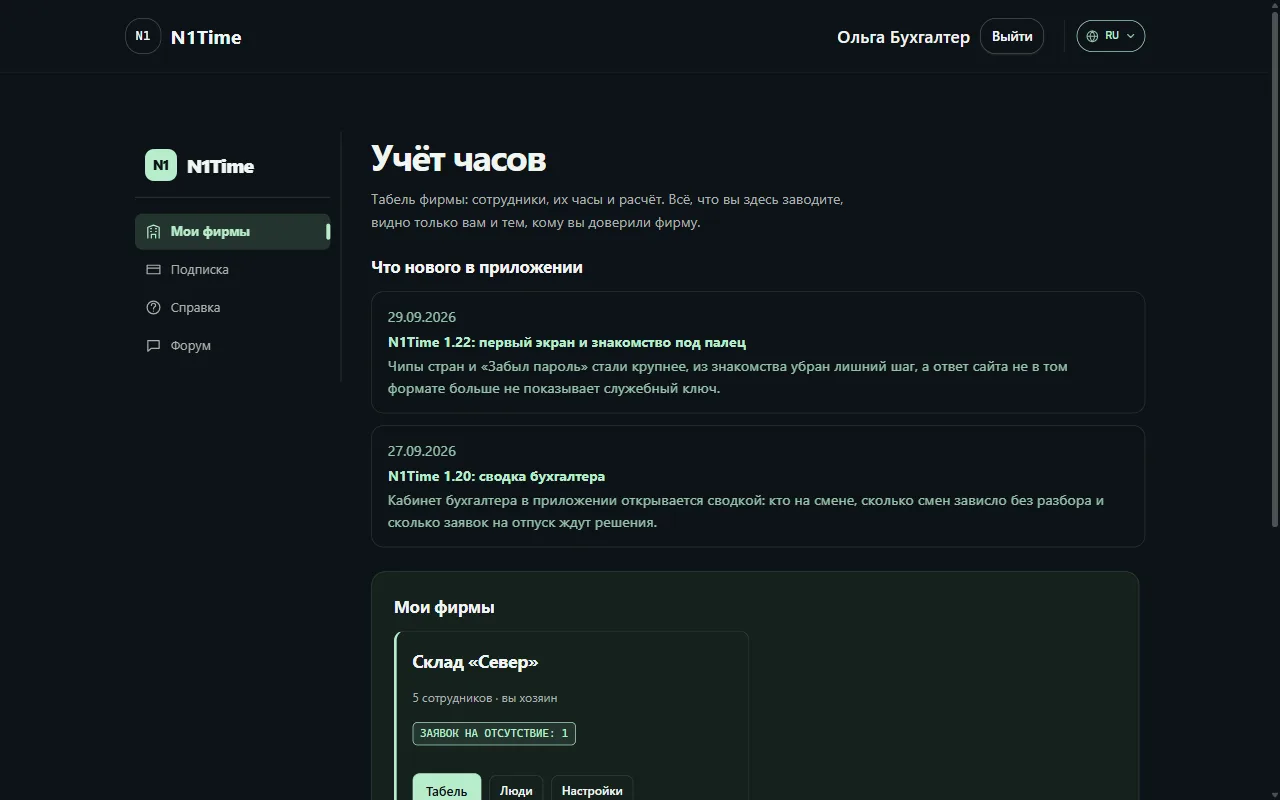
The accountant's workspace in its own window: hours, staff, leave, month closing. The same workspace as on the website.
Regular install: a shortcut on the desktop and in the Start menu.
File checksum
SHA-256 checksum:
860e7254856adb570910d895b8901464980f327f6ed6095bba213fb66397a588Check in Windows (PowerShell): Get-FileHash N1Time-Desktop-Setup-1.1.0.exe -Algorithm SHA256
Фирменный установщик: выбор языка, ярлык на рабочем столе и в «Пуск», по желанию запуск вместе с Windows. Программа сама проверяет обновления и ставит их тихо, без окон мастера; вход и язык сохраняются. Тёмное окно без белой системной рамки, экран «Нет связи» с кнопкой «Повторить», кабинет открывается без вечной крутилки. При удалении можно стереть данные и сохранённый вход.
No install: put the file anywhere you like and run it, for example from a USB stick.
File checksum
SHA-256 checksum:
39a842d3df07f29b0e96df1ba71a170388511c7d46633127170bee5b55d6505fCheck in Windows (PowerShell): Get-FileHash N1Time-Desktop-Portable-1.1.0.exe -Algorithm SHA256
What’s new – the same as for the installer above.
Requires Windows 10 or 11 (64-bit).
The installed program checks for updates by itself and offers to restart; your saved sign-in stays. No manual updates – just install this version once.
The program is not digitally signed yet, so Windows may warn you on first launch. Click "More info" and "Run anyway"; compare the checksum if you want to be sure the file is genuine.
What it looks like
How to install
For your phone
- Download
Download the APK file with the button above. - Allow installation
Open it on your phone and allow installing from this source. - Open and sign in
Start N1Time and go through the intro: language, name and pay card.
For computers (Windows)
- Download the installer
Download the installer (or the portable version if you prefer not to install). - Run the file
Run the file. If Windows warns you, click “More info” and then “Run anyway”.Windows protected your PC Running an unrecognized app might put your PC at risk. More infoPublisher: Unknown publisher Run anywayDon’t run - Choose a language and sign in
Sign in with your N1Time account — the accountant's dashboard opens.
Need help?
If installation does not work or something is unclear, open the help: answers and support contacts are there. The checksum above lets you make sure the file was not tampered with.
Data
Hours, rate and name are stored on the phone. They leave it only if you turn that on yourself: connect the phone to a company and its accountant receives your hours; turn on the backup and a copy is kept in your site account. Once a day the app asks the site whether a new version exists.
Subscribe to the news
Only after email confirmation