Bookmarks
A star under any entry on the site — a product, a topic, a news item, a page, a file — saves it to the person's own bookmarks. The site's modules need to know nothing about bookmarks for this to work.
Features
- A “Bookmark it” star under an entry of any module that declares the entry on its page: shop, news, forum, pages, files, catalogue sections.
- One button both saves and removes. A double click does not save the entry twice.
- Under the star — how many people have saved the entry (can be turned off in the settings).
- Guests see the star, but clicking it leads to sign-in and then straight back.
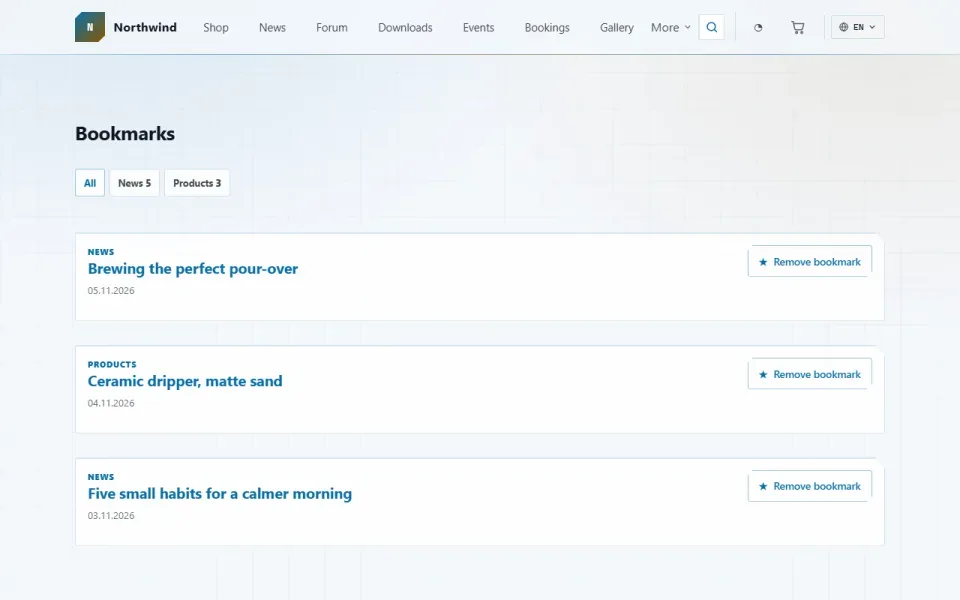
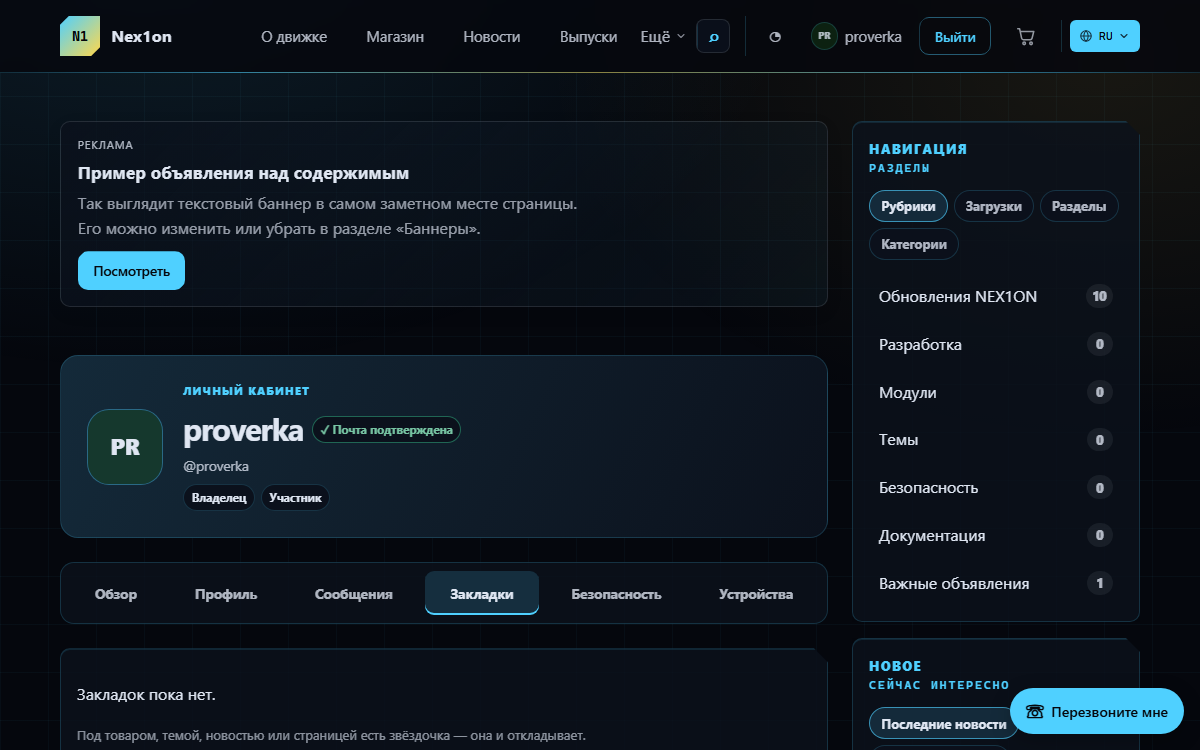
- A list of bookmarks in the account area, newest first, filterable by type: “Products”, “News”, “Forum topics” and so on. The filter appears only when there is more than one type.
- The entry's title and address are stored as a snapshot: if the entry is deleted or its module is turned off, the line stays in the list under its old title instead of silently disappearing.
- A card with the bookmark count on the account overview.
Configuration
Admin panel → Settings → Bookmarks, “Behaviour” group:- Show how many people saved it — on by default. On a young site this number is usually zero, so you may prefer to hide it.
Permissions
The module has no permissions of its own: any signed-in user can save entries, and everyone sees only their own bookmarks.On the site
- /favorites — the bookmark list, for signed-in users only; opens as the “Bookmarks” tab in the account area.
- The “Bookmark” block with a star under an entry.
Installation and removal
Installation creates the favorites table: who saved it, the entry type, its ID and a snapshot of its title and address. The module neither writes to nor reads from other modules' tables. Disabling it removes the stars but keeps what was saved. Removing it with data deletes the table together with all bookmarks.Kaip įdiegti
Jis jau yra pas jus. Valdymo skydelis → „Moduliai“ → įjungti.
Versijų istorija
1.0.0
- Звёздочка «В закладки» под записью любого модуля, который объявляет запись на странице
- Одна кнопка на «отложить» и «убрать»; повторное нажатие не создаёт дубль
- Список закладок в личном кабинете с отбором по типу записи
- Снимок названия и адреса: удалённая запись не пропадает из списка молча
- Счётчик «сколько человек отложило» с выключателем в настройках
- Карточка с числом закладок на обзоре личного кабинета
- Позже в этой версии: список открывается внутри кабинета с рядом вкладок, подписи ещё на четырёх языках
Klausimai ir atradimai – į forumą: skyrius „Moduliai“