Gallery
Photo albums: a list of albums, a photo grid and a full-screen viewer with arrows and captions, a home page block. Photos are uploaded straight into an album and stored in the media library.
Features
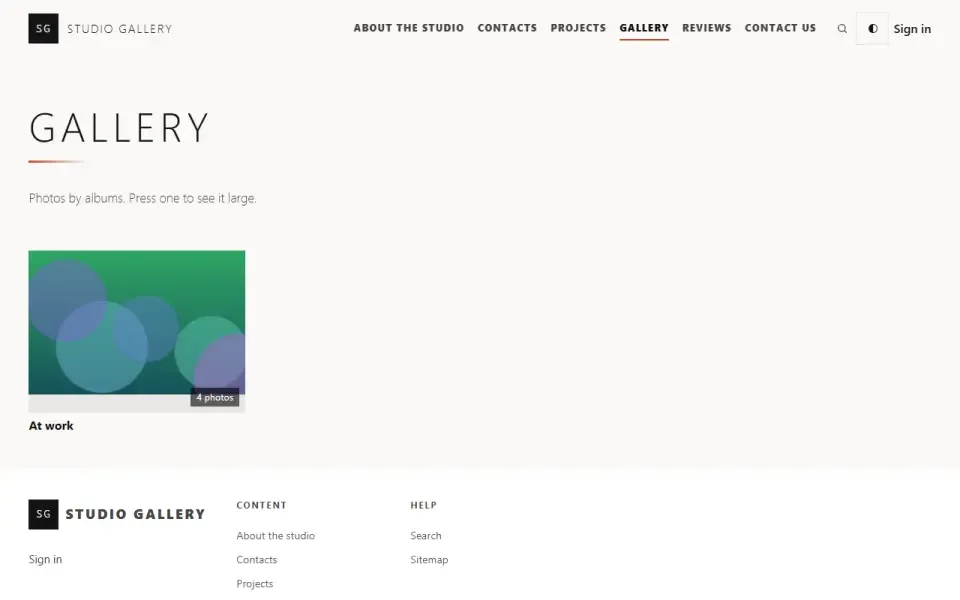
- An albums page — 24 per page, each with a cover (the first photo) and a photo count.
- An album: text above the photos and a grid. A photo opens on top of the page, is paged with on-screen arrows and the keyboard, and closes with Esc; its caption is shown below. Without scripts, each photo is a plain link to the file.
- Photos are uploaded straight into an album, several at a time, and are added to the end. A file that is not an image is rejected before it reaches the media library, with the reason given for each file.
- The file lives in the media library; the album keeps only the order and captions. One photo can appear in two albums, and a photo removed from an album stays in the media library.
- An album has an address, a status (draft or published), a position in the list and a language — for everyone or for readers of one language.
- Albums are found by the site search, including by photo captions, and are included in the sitemap.
Configuration
In the admin panel: “Settings”, “Gallery” section, “Gallery on the site” group.- How many albums on the home page — 4 by default. No albums — no block.
Permissions
- See albums — open the “Gallery” section in the admin panel.
- Create albums and upload photos — create, edit and delete albums, upload and remove photos.
On the site
- /gallery — all albums, a “Gallery” item in the site menu.
- /gallery/album-slug — an album.
- The “From the gallery” block on the home page; to move or remove it, go to “Appearance”, the “Home & blocks” part.
Installation and removal
Tables gallery_albums and gallery_photos. Deleting an album removes only its order and captions. Removing the module with data erases both tables; uploaded files stay in the media library.Left out on purpose
- A second image store: one photo would have to be uploaded twice, and cleanup of unused files would no longer see the truth.
- A third-party viewer library: the built-in viewer is small and pulls in no outside styles.
Så installerar du
Du har den redan. Panelen → Moduler → aktivera.
Versionshistorik
1.0.0
- Страница альбомов, альбом с сеткой снимков и просмотр во весь экран со стрелками, клавиатурой и подписями
- Снимки загружаются прямо в альбом и хранятся в медиатеке; один снимок может стоять в нескольких альбомах
- Подписи и порядок снимков правятся на странице альбома в панели
- Блок «Из галереи» на главную и настройка числа альбомов в нём
- Альбомы ищутся поиском по сайту, в том числе по подписям снимков, и попадают в карту сайта
- Файл, который не является картинкой, отклоняется до того, как попасть в медиатеку
Frågor och upptäckter tas upp på forumet: kategorin Moduler