Pages
Static site pages such as «About us», «Contact» and «Services»: a page tree, menu items, three layouts, a cover image, SEO fields, translations and revision history.
Features
- A page has a title, a short description for listings, body text, a cover image for link previews, and draft or published status.
- Its own SEO fields: title and description for search engines, and a no-index option.
- Page tree: a parent page provides breadcrumbs and a list of child pages; the address does not depend on it. Order and nesting are managed on the «Structure» tab.
- Three layouts: Standard; Wide, for tables and galleries; Minimal, for utility pages.
- Site menu item: the «Show in the site menu» checkbox, a position in the menu and a short label instead of a long title.
- Translations: the language switcher leads to the same page in another language.
- Revision history with rollback to any stored version; deleted pages go to the bin.
- Any published page can be made the site's home page. If it has a translation, visitors see it in their own language.
- Pages are included in site search and the sitemap.
Configuration
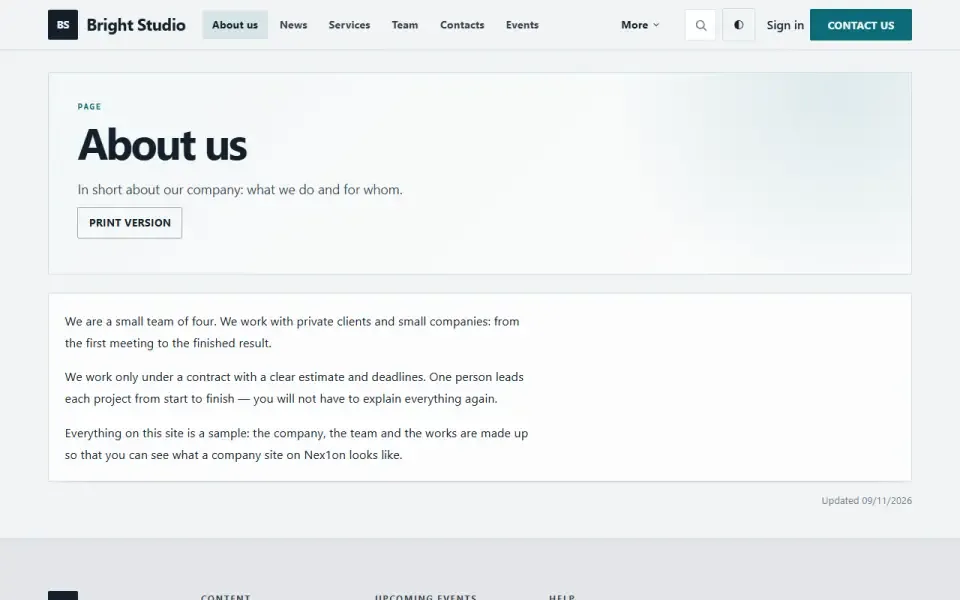
Pages → Settings → Show the changed date adds an «Updated …» line below the page text. The address format is chosen in Settings → Page addresses: at the site root (/o-nas), under a section (/page/o-nas) or with an ID. A page is set as the home page in Settings → General → What to show on the front page.Permissions
- View pages — see the section and the structure in the panel.
- Create pages.
- Edit pages — change text, publish, move within the structure.
- Delete pages — send them to the bin.
On the site
A page's address is /name or /page/name, depending on the chosen format. Marked pages appear in the site menu. The sidebar has a «Pages» block listing pages in the reader's language; it is not shown on the home page.Installation and removal
One table, pages, is created, and permissions are granted to Administrator and Editor. Removing with data drops the table with all pages, along with the module's permissions and setting. Cover images stay in the media library.Så installerar du
Du har den redan. Panelen → Moduler → aktivera.
Versionshistorik
1.4.0
- Дерево страниц: родитель и порядок, отдельная вкладка «Структура» в панели
- На странице — хлебные крошки и список дочерних страниц
- Три макета страницы: обычный, широкий, минимальный
- Своя короткая подпись для пункта меню вместо длинного заголовка
- Раздел в панели стал обзором, полный список — отдельной вкладкой
- Блок на главной: фрагмент выбранной страницы с заголовком, описанием и обложкой
1.3.0
- Многоязычность: язык у страницы, связь перевода с оригиналом, раздел «Переводы» в панели
- Боковой блок «Страницы» показывает страницы на языке читателя
- История правок: снимок перед сохранением и возврат к прежней версии
- Удалённые страницы уходят в общую корзину, их можно вернуть или убрать насовсем
- Своя обложка страницы для превью ссылок в мессенджерах; медиатека показывает, где стоит файл
- Страницы в карте сайта, в поиске по сайту и в быстром переходе панели
- Общая разметка текста движка
1.2.0
- Модуль подключается последним: адрес страницы в корне сайта больше не перехватывает адреса других модулей
1.1.0
- Страницу можно поставить в меню сайта: галочка «Показывать в меню сайта» и место в меню
- Блок «Страницы» в боковой колонке темы
1.0.0
- Постоянные страницы: заголовок, описание, текст, черновик или публикация
- SEO-поля и запрет индексации у каждой страницы
- Раздел в панели, четыре права
- Настройка «Показывать дату изменения»
Frågor och upptäckter tas upp på forumet: kategorin Moduler