Banners
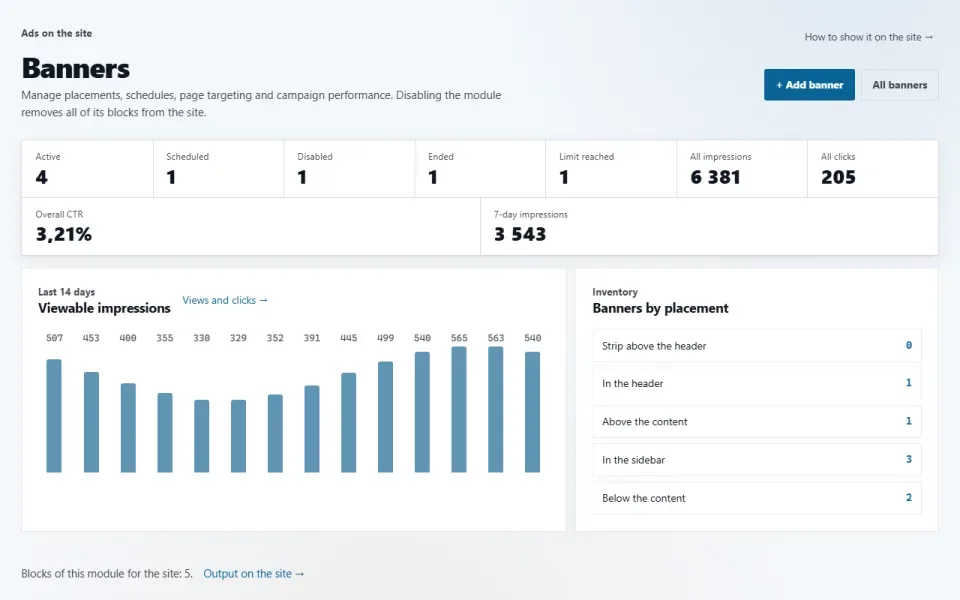
Slots for your own announcements or third-party ads in theme areas: an image, text with a link or ad network code, with a schedule, page targeting, limits, campaigns and counting of viewable impressions and clicks.
Features
- Five slots: header, above the content, sidebar, below the content, footer. Each is a block that can be moved in «Appearance → Home & blocks».
- Three kinds: an image with a link, words with a link and a button, ad network code. Three sizes, separate images for tablet and phone.
- Display pages (all, home page, path masks such as /shop/* or everything except them), language, dates, days of the week and hours.
- Impression and click limits, a daily limit per browser, weighted A/B rotation, campaigns paused with a single button.
- An impression is counted by the browser when at least half of the banner is visible, so page caching does not distort the figures. A click leads only to the link stored in the banner record.
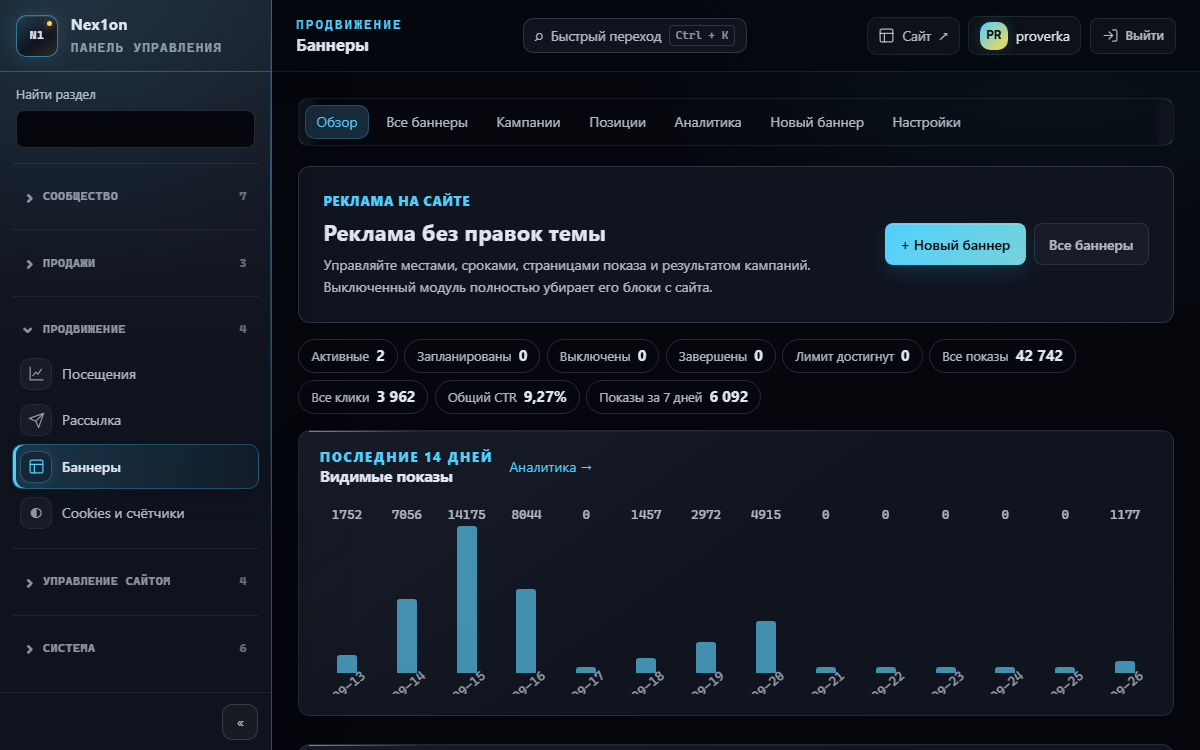
- In the panel: overview, a filtered list, campaigns, a position map, daily statistics.
Configuration
«Settings» → «Banners»:- Banners per placement — from 1 to 10, 3 by default.
- Track viewable impressions — on.
- Minimum visible time, ms — 500 by default.
Permissions
- See banners — overview, lists, statistics. On installation: administrator, editor, manager.
- Add and change banners — on installation, administrator only: ad network code runs on the pages as is.
On the site
The module has no pages of its own. Service addresses: /banner/{id} — a redirect that counts the click, /banner/{id}/impression — an impression beacon.Installation and removal
Tables banners and banner_daily_stats. Three samples are created on installation: above the content, in the sidebar and in the footer. A deleted banner goes to the shared bin; emptying the bin also removes its statistics, while the images stay in the media library. Removing the module with its data erases both tables.Så installerar du
Du har den redan. Panelen → Moduler → aktivera.
Versionshistorik
1.4.0
- Удалённый баннер уходит в общую корзину и возвращается оттуда; при окончательной очистке вместе с ним удаляется его посуточная статистика
- Массовое удаление и удаление кампании тоже кладут баннеры в корзину, а не стирают сразу
- Раздел баннеров в панели открывается по настроенному адресу панели и подчиняется ограничению входа в панель по IP
- Подтверждение удаления баннера и кампании переведено на общий механизм панели
1.3.0
- Видимые показы: показ засчитывает браузер, когда баннер виден хотя бы наполовину заданное время; страничный кэш больше не искажает статистику
- Выбор страниц показа: все, только главная, только указанные пути или все, кроме них
- Расписание по дням недели и часам, лимиты показов и нажатий, суточный лимит показов одному браузеру
- A/B-ротация с весами, кампании с включением, паузой и удалением одной кнопкой, метка над баннером, открытие ссылки в новой вкладке
- Третий вид «Слова со ссылкой», три размера, отдельные картинки для планшета и телефона, заглушка с первой буквой вместо отсутствующей картинки
- Панель разделена на обзор, список с фильтрами, кампании, карту позиций и статистику по дням; массовые действия и копия баннера; свои названия блоков в «Расположении»
- Настройки: баннеров в одном месте, подсчёт видимых показов, минимальное время видимости
- Переход по баннеру пускает только на внутренний путь или адрес http/https; ограничение частоты для переходов и отметок показа
1.0.0
- Баннер встаёт в одну из пяти областей темы: шапка, над содержимым, боковая колонка, под содержимым, подвал
- Два вида: картинка со ссылкой и готовый код рекламной сети
- Срок показа, язык сайта и порядок
- Подсчёт показов и нажатий, переход только по ссылке из записи баннера
- Медиатека знает, какие картинки заняты баннерами
Frågor och upptäckter tas upp på forumet: kategorin Moduler