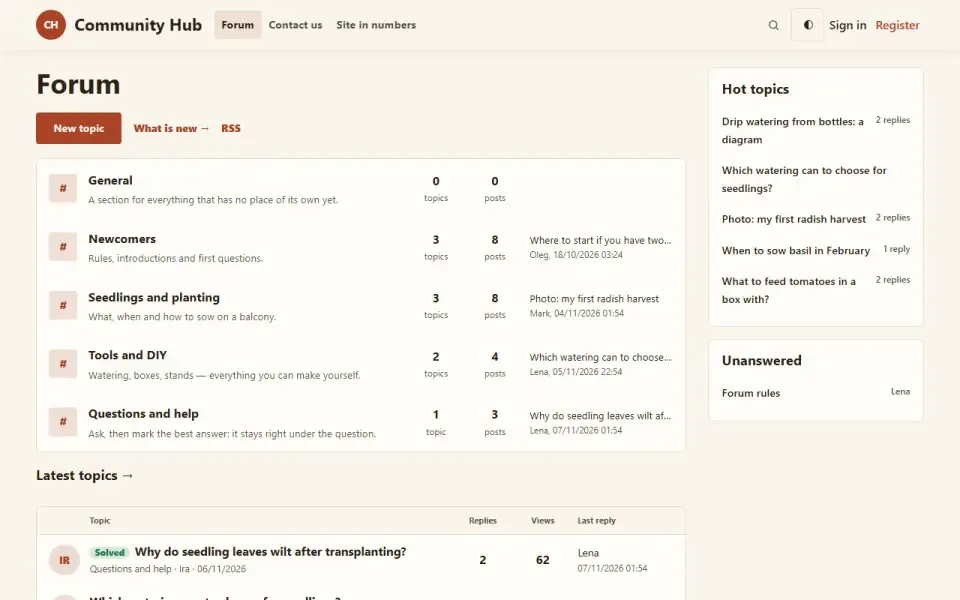
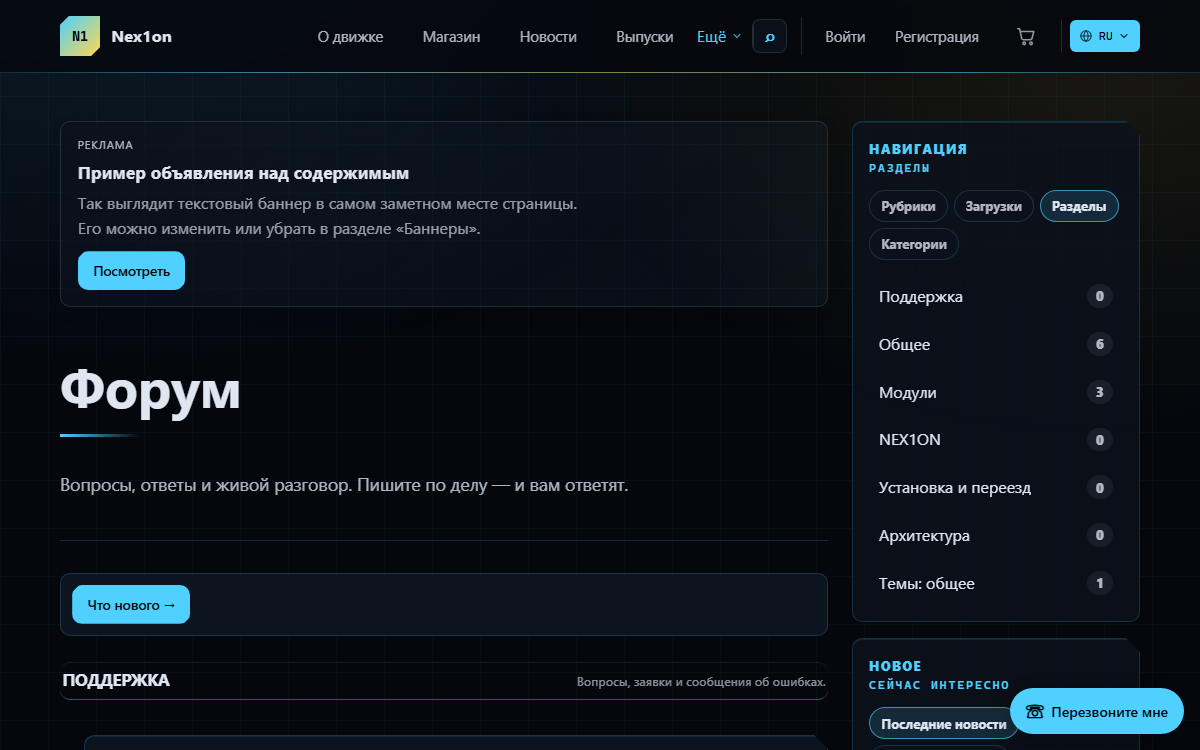
Forum
Discussions on your site: categories and sections, topic types with their own fields and statuses, per-role section permissions, tags, subscriptions, attachments, read markers and moderation right from the topic.
Features
- Categories and sections — two levels. Addresses read like a path: /forum/razdel/tema.
- Topic kinds. Out of the box there is «Discussion», with no fields or statuses. Your own kinds (question, request, bug, suggestion) are set up in the panel: fields, statuses, a solution marker, voting on the topic.
- Tags and prefixes: as many tags as you like, each with its own page; one prefix, shown before the title.
- Section filters by type, status, prefix, solution and replies; sorting by latest activity, newest, replies or views.
- Unread: «Read from where you stopped», «Mark all read», and a «What is new» page. The bottom of a topic shows who is reading it right now.
- Subscriptions: the author and everyone who replies are subscribed automatically. Notifications for replies, @name mentions and a marked solution.
- Attachments through the media library, reports on posts, preview before posting.
- Moderation from the topic: pin, close, remove a post or a topic. Removed items go to the bin and can be restored from there.
- Site search looks inside posts and shows an excerpt.
- Language is set per section, or «All languages».
Configuration
In the panel: «Forum» → the «Settings» tab:- «Intro on the forum's front page» — text shown above the list of sections.
- «Show on the home page», «Discussions on the home page» (1–12, default 4), «Discussions in the sidebar block» (1–20, default 5).
- «Topics per page» (default 25), «Posts per page» (default 20).
Other tabs: «Overview», «Forum sections», «Topic kinds», «Topic prefixes», «Moderation»; a «Recount» button refreshes the counters. Each section has a «Who sees this section» block with «See», «Reply», «Start topics» and «Keep order» checkboxes per role. While nothing is ticked, the section is open to everyone; the first tick closes it to all other roles, and it disappears from the list, search and sitemap.
Permissions
- Write on the forum — topics and replies. Granted on install to: Member, Moderator, Editor, Administrator.
- Keep order on the forum — pin, close, remove. Moderator, Editor, Administrator.
- Create forum sections — manage the forum in the panel. Editor, Administrator.
On the site
- /forum, /forum/new («What is new»), /forum/tag/<tag>, /forum/<section>, /forum/<section>/<topic>.
- A «Forum» item in the site menu.
- A «Discussions on the home page» block and a «Recent discussions» block in the sidebar.
- Topics in search and the sitemap, activity in the user account and profile.
Installation and removal
Installation creates tables for sections, topics, posts, types, prefixes, tags, votes, subscriptions, attachments, read markers and section permissions, adds the «Discussion» type and the «General» section, and assigns permissions. Removing with data rolls back the migrations: all forum tables go, including the tables of custom types, along with the module's permissions and settings.Left out on purpose
- A third level of sections — only category and section.
- Topic translation: the language belongs to the section, and people write topics in their own.
- Permissions for individual people — roles only.
- Tags shared with other modules: the forum does not depend on news or downloads.
- Deleting a section together with its topics: only an empty section can be deleted.
How to install
You already have it. Panel → Modules → enable.
Version history
2.3.1
- Forum sections and latest topics are shown in the site's shared sidebar
- The «Recent discussions» block is not shown on the home page and does not duplicate the shared sidebar when it already lists forum topics
- The separate search bar on the forum's front page is gone: search goes through the site-wide search
- Forum results in the site-wide search are labelled with their source
2.3.0
- The forum panel is split into tabs: «Overview», «Sections», «Topic types», «Prefixes», «Moderation»
- New «Moderation» page in the panel: what needs attention
- Topic filters in a section: by type, status, prefix, solution and whether there are replies
- A person's topic and post counts appear in their user account and public profile
- Site search finds words inside posts and shows an excerpt
- Language per forum section: a section in one language or in all of them
- «Discussions on the home page» block; the module settings moved into the forum's own section of the panel
- Rate limits for new topics, replies and reports
2.2.0
- Read markers: a «new» label, «Mark all read» and «Read from where you stopped» buttons
- The bottom of a topic shows who is reading it right now
- «What is new» page: topics from the whole forum ordered by latest activity
- The topic list shows who replied last and links to the latest reply
- Four topic orders in a section: latest activity, newest, most replies, most views
- Post preview and formatting buttons under the input field; member avatars
- Topic page redesigned: post actions on one line, topic controls moved out of the text
- The panel shows which sections are restricted by permissions
2.1.0
- Topic subscriptions and notifications for replies, mentions and a marked solution
- Reports on posts through the engine's shared reporting system
- Post attachments through the media library
- The forum no longer breaks when files are updated but migrations have not been applied yet: sections are shown as a flat list
2.0.0
- Topic types with their own fields and statuses; «Discussion» is the default type
- A reply can be marked as the solution, and topics can be voted on
- A topic's status is changed on its page
- Categories above sections
- Per-role section permissions and restricted sections, hidden from lists, search and the sitemap
- Topic tags and prefixes
- The title and tags are edited together with the first post
- Removed posts go to the bin and can be restored from it
1.0.0
- Sections, topics and replies; everyone reads, signed-in users post
- Moderation right from the topic: pin, close, remove
- A removed topic goes to the shared bin
- Topic and reply counters, a «Recount» button in the panel
- A topic address is unique within its section, not across the whole site
- A section can be deleted only when empty
- «Recent discussions» block and a first «General» section on install
Questions and findings go to the forum: the Modules section